

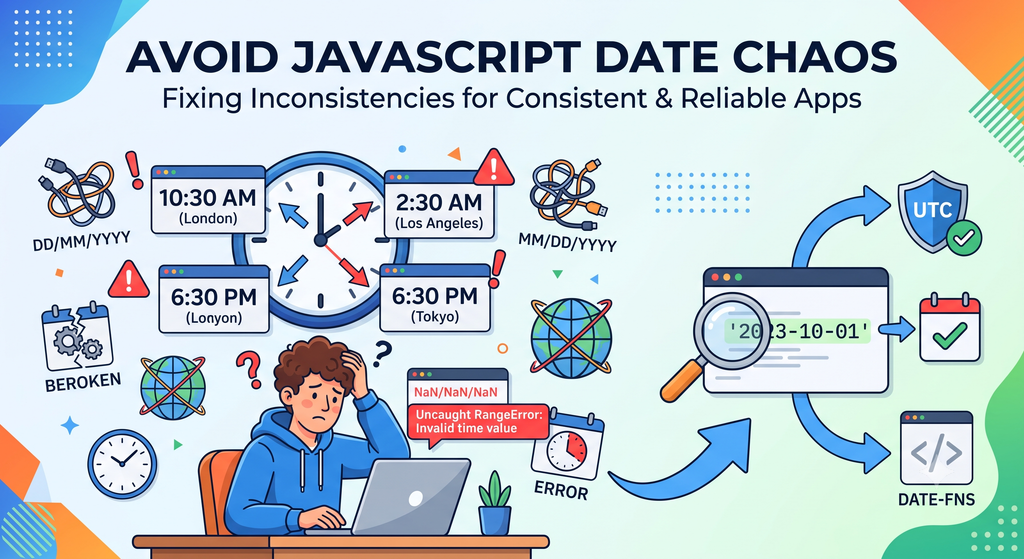
When working with dates in JavaScript applications, inconsistencies can arise from various sources, leading to bugs and unexpected behaviors. This article will guide you through diagnosing and fixing these issues, ensuring your application handles dates consistently and reliably.
Understanding Date Handling in JavaScript
JavaScript’s date handling is based on the Date object, which is a built-in object that provides methods for working with dates and times. However, inconsistencies can occur due to differences in time zones, date formats, and the way dates are parsed and formatted.
Common Causes of Inconsistent Date Handling
Time Zone Differences
One of the most common causes of inconsistent date handling is the difference in time zones. JavaScript’s Date object uses the local time zone of the user’s device. If your application is accessed by users in different time zones, you may encounter inconsistencies.
Date Format Variations
Date formats can vary widely across different locales. For example, in the United States, the date format might be MM/DD/YYYY, while in the United Kingdom, it might be DD/MM/YYYY. This can lead to parsing errors if the date format is not correctly handled.
Parsing and Formatting Issues
Parsing and formatting dates can also lead to inconsistencies. Different libraries or frameworks might use different methods to parse and format dates, which can result in unexpected behaviors.
Diagnosing Inconsistent Date Handling
To diagnose inconsistent date handling, you can follow these steps:
- Identify the issue: Look for bugs or unexpected behaviors related to date handling. This could be anything from displaying the wrong date to incorrect date calculations.
- Reproduce the issue: Create a minimal reproducible example to isolate the issue. This will help you understand the root cause.
- Check the date format: Ensure that the date format is consistent across your application. Use consistent date formats for input and output.
- Verify time zone settings: Make sure that the time zone settings are consistent and correctly configured. Use UTC or a specific time zone if needed.
- Use debugging tools: Utilize browser developer tools to inspect the date values and their representations. This can help you understand how dates are being handled.
Fixing Inconsistent Date Handling
Once you have identified the issue, you can take steps to fix it:
Standardize Date Formats
Use consistent date formats throughout your application. You can use libraries like moment.js or date-fns to handle date parsing and formatting consistently.
// Example using date-fns
import { parseISO, format } from 'date-fns';

const dateString = '2023-10-01';
const date = parseISO(dateString);
const formattedDate = format(date, 'yyyy-MM-dd');
Code language: JavaScript (javascript)
Use UTC for Date Calculations
If you need to perform date calculations, use UTC time to avoid time zone-related issues.
// Example using Date object
const now = new Date();
const utcNow = new Date(now.getUTCFullYear(), now.getUTCMonth(), now.getUTCDate());
Code language: JavaScript (javascript)
Set Time Zone Settings Explicitly
If your application needs to handle dates in a specific time zone, set the time zone settings explicitly.
// Example using date-fns
import { parseISO, format, setTimeZone } from 'date-fns';

const dateString = '2023-10-01';
const date = parseISO(dateString);
const utcDate = setTimeZone(date, 'UTC');
Code language: JavaScript (javascript)
Common Mistakes to Avoid
Here are some common mistakes to avoid when dealing with dates:
- Assuming the local time zone: Always use UTC or a specific time zone when performing date calculations.
- Using inconsistent date formats: Ensure that all date formats are consistent and use a library to handle parsing and formatting.
- Forgetting to handle time zone differences: Make sure to account for time zone differences, especially when dealing with international users.
Conclusion
Consistent date handling is crucial for the reliability and user experience of your JavaScript applications. By understanding the common causes of inconsistencies and following the steps outlined in this article, you can diagnose and fix these issues effectively.
Remember to standardize date formats, use UTC for calculations, and set time zone settings explicitly. By doing so, you can ensure that your application handles dates consistently and reliably.